How To Work A Frigidaire Oven With These Simple Tips
Learning how to work a Frigidaire oven is easier than you think. This guide covers everything from basic controls and preheating to baking, broiling, and self-cleaning. You will also find practical troubleshooting tips and maintenance advice to keep your Frigidaire appliance running smoothly for years.
Owning a Frigidaire oven comes with a lot of perks. These kitchen appliances are reliable, energy-efficient, and packed with features. But if you have just moved into a new home or picked up a used model, the controls and settings can feel a bit overwhelming at first. That is completely normal. Most people find that once they learn the basics, using their Frigidaire range becomes second nature.
This guide will walk you through everything you need to know about how to work a Frigidaire oven. We will cover the control panel, preheating, cooking modes, self-cleaning, and even troubleshooting common issues. By the end, you will feel confident and ready to cook every meal with ease.
Whether you are baking cookies, roasting a chicken, or just reheating leftovers, knowing your oven inside and out makes a huge difference. Let us dive in and explore the simple steps to mastering your Frigidaire appliance.
Key Takeaways
- Master the control panel: Understanding your Frigidaire oven settings is the first step to cooking with confidence.
- Preheat every time: Always preheat your oven for even cooking and better results.
- Know your modes: Bake, broil, and convection each serve a different purpose in the kitchen.
- Use self-clean wisely: The self-clean cycle saves time but needs proper preparation and safety precautions.
- Troubleshoot common issues: Many Frigidaire oven problems have simple fixes you can do yourself.
- Maintain regularly: Cleaning and calibrating your oven extends its lifespan and improves performance.
📑 Table of Contents
- Understanding Your Frigidaire Oven Controls
- How To Preheat And Set The Right Temperature
- Baking, Broiling, And Other Cooking Modes
- Using The Self-Clean Feature
- Troubleshooting Common Frigidaire Oven Problems
- Maintenance Tips For Long-Lasting Performance
- Baking Tips For Perfect Results Every Time
- Final Thoughts On Working Your Frigidaire Oven
Understanding Your Frigidaire Oven Controls
Before you start cooking, it helps to know what is on the Frigidaire control panel. Most modern Frigidaire ovens come with a digital display and a set of buttons or knobs. The layout may vary slightly depending on the model, but the core functions are very similar across the lineup.
The main controls typically include a temperature dial, a mode selector, and a timer. Some models also feature a convection fan setting and a quick preheat button. Understanding what each button does will save you a lot of guesswork in the kitchen.
Digital Display and Timer
The digital display on your Frigidaire oven shows the current temperature and cooking time. You can use the timer to set how long you want the oven to run. When the time is up, the oven will beep to let you know. This is especially helpful when you are multitasking in the kitchen.
Some models also have a clock display that stays on even when the oven is off. You can usually set this by holding the clock button for a few seconds. It is a small feature, but it adds a lot of convenience.
Mode Selector and Temperature Controls
The mode selector lets you choose between different cooking modes like bake, broil, and convection. The temperature controls let you set the exact heat level you need. Most Frigidaire ovens heat up to 500 degrees Fahrenheit, which covers nearly every cooking task.
When you turn the oven on, the oven light inside the cavity usually turns on automatically. This lets you watch your food cook without opening the door and losing heat. It is a small detail, but it makes a big difference in monitoring your meals.
Quick Tips
- Always refer to your oven manual for model-specific instructions.
- Familiarize yourself with the control panel before your first cook.
- Keep the manual in a kitchen drawer for easy reference later.
How To Preheat And Set The Right Temperature
Preheating the oven is one of the most important steps in cooking. It ensures that your food starts cooking at the right temperature from the very beginning. Skipping this step can lead to unevenly cooked meals and longer cooking times.
To preheat oven on a Frigidaire unit, simply set the desired temperature using the controls and select the bake mode. The oven will begin heating automatically. Most models will beep or show a ready light when the target temperature is reached.
Why Temperature Accuracy Matters
Getting the oven temperature right is crucial for baking and roasting. Too hot and your food may burn on the outside while staying raw inside. Too cool and your dish may take twice as long to cook. That is why temperature calibration is worth checking every few months.
You can test your oven’s accuracy with a simple oven thermometer. Place it inside, set the oven to 350 degrees, and compare the readings. If there is a big difference, you may need to adjust your settings or call a technician for oven maintenance.
Quick Preheat Hacks
Here are a few shortcuts that make preheating faster and more efficient:
- Use the quick preheat button if your model has one.
- Place the rack in position before preheating so it is ready to go.
- Avoid opening the door too often, as this lets heat escape.
- Preheat for at least 10 to 15 minutes for best results.
Common Mistakes
- Skipping preheat: This is the number one mistake home cooks make. It leads to uneven baking and longer cook times.
- Opening the door too often: Every time you open the door, the temperature drops by 25 to 50 degrees.
- Not using a thermometer: You cannot always trust the built-in display. An independent thermometer gives you a true reading.
Baking, Broiling, And Other Cooking Modes
One of the best things about a Frigidaire oven is the variety of cooking modes available. Each mode serves a different purpose and works best for specific types of food. Understanding these modes will help you get the best results every time.
Bake Mode
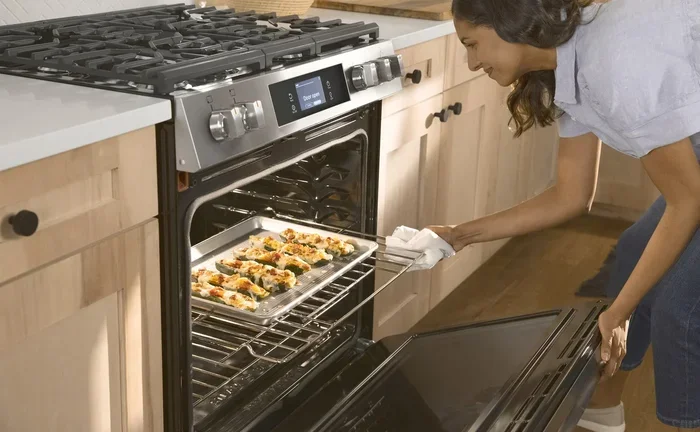
Bake mode is the most commonly used setting. It uses heating elements at the top and bottom of the oven to create even, surrounding heat. This mode is perfect for cakes, cookies, casseroles, and roasted vegetables.
When using bake mode, always place your food on the center rack. This allows hot air to circulate evenly around the dish. If you need to rotate your pan halfway through, that is a great practice for even browning.
Broil Mode
Broil mode uses only the top heating element. It produces intense, direct heat from above. This mode is ideal for searing meats, melting cheese, and giving dishes a crispy, golden finish.
When broiling, always keep a close eye on your food. The high heat can cause burning very quickly. Use the oven timer to set short intervals and check your dish frequently.
Convection Mode
Convection mode uses a fan to circulate hot air throughout the oven. This results in faster, more even cooking. It is great for roasting meats, baking pastries, and cooking multiple dishes at once.
One thing to keep in mind: convection cooking is faster than conventional baking. Most experts recommend reducing the temperature by 25 degrees when using convection mode. This prevents food from overcooking while still getting great results.
Comparison Table: Bake vs Broil vs Convection
| Mode | Best For | Heat Source | Cooking Speed |
|---|---|---|---|
| Bake | Cakes, cookies, casseroles | Top and bottom elements | Standard |
| Broil | Searing, melting, browning | Top element only | Fast |
| Convection | Roasting, pastries, multi-dish cooking | Fan + top and bottom elements | Faster than bake |
Expert Insights
Professional chefs recommend using convection mode for roasting vegetables and meats because the circulating air creates a crispy exterior while keeping the inside moist. For delicate baked goods like souffles and custards, stick with conventional bake mode to avoid uneven cooking.
Using The Self-Clean Feature
The self-clean cycle is one of the most convenient features on a Frigidaire oven. It uses high heat to burn off food residue and grease, leaving the oven interior clean with minimal effort. However, there are a few important steps to follow for safe and effective cleaning.
How The Self-Clean Cycle Works
When you start the self-clean cycle, the oven heats up to extremely high temperatures, usually around 900 degrees Fahrenheit. This intense heat carbonizes any food splatters or grease inside the oven. After the cycle ends, all that is left is a light ash that you can easily wipe away with a damp cloth.
The entire process typically takes two to four hours depending on how dirty the oven is. It is best to run this cycle when you do not need to use the oven for several hours, as the kitchen can get warm during the process.
Step-By-Step Guide To Self-Cleaning
- Remove all oven racks, pans, and accessories from the interior.
- Wipe out any large food particles or spills with a damp cloth.
- Close the oven door firmly until it locks into place.
- Select the self-clean setting on the control panel.
- Set the timer and let the cycle run its full course.
- Once the cycle is complete and the oven has cooled, wipe away the ash with a damp cloth.
- Replace the racks and accessories.
Common Mistakes To Avoid
- Leaving racks inside during self-clean: The extreme heat can warp or discolor the racks. Always remove them first.
- Running self-clean too often: Frequent high-heat cycles can damage the oven over time. Use it only when needed.
- Staying near the oven during the cycle: The oven gets very hot and can produce smoke if there is heavy grease buildup.
Quick Tips
- Run the self-clean cycle right after cooking a messy meal for the best results.
- Place a baking sheet on the lower rack to catch any drips before starting.
- Ventilate your kitchen by turning on the range hood or opening a window.
Troubleshooting Common Frigidaire Oven Problems
Even the best kitchen appliance can run into issues from time to time. The good news is that many common problems with Frigidaire ovens have simple solutions. Before you call a repair technician, try these troubleshooting steps first.
Oven Not Heating Up
If your oven is not heating, the first thing to check is the power supply. Make sure the oven is properly plugged in and that the circuit breaker has not tripped. Also, check the oven light and the display to see if the unit is receiving power at all.
If the power supply is fine, the issue could be a faulty heating element. You can visually inspect the bake and broil elements for signs of damage or burning. Replacing a heating element is usually straightforward and can be done with basic tools.
Uneven Cooking Results
Uneven cooking is a frustrating problem, but it is often easy to fix. Start by checking if the oven racks are positioned correctly. Racks that are too close to the top or bottom element can cause hot spots and uneven browning.
Another common cause is a misaligned temperature sensor. You can test this by placing an oven thermometer inside and comparing the readings. If the temperature is off by more than 25 degrees, you may need to recalibrate the sensor or replace it.
Oven Door Not Closing Properly
A door that does not seal properly can cause heat loss and longer cooking times. Check the door gasket for any gaps, cracks, or debris. Cleaning the gasket with warm soapy water can often restore a proper seal. If the gasket is damaged, it will need to be replaced.
When To Call A Professional
If you have tried all the basic troubleshooting steps and your Frigidaire oven still is not working correctly, it is time to call in a professional. Issues with the control board, igniter, or wiring should always be handled by a qualified technician. Attempting DIY repairs on these components can be dangerous and may void your warranty.
Quick Troubleshooting Checklist
- Check the power supply and circuit breaker.
- Inspect heating elements for visible damage.
- Verify rack positioning for even heat distribution.
- Use an oven thermometer to test temperature accuracy.
- Clean the door gasket and check for proper sealing.
- Refer to the oven manual for model-specific error codes.
Maintenance Tips For Long-Lasting Performance
Regular oven maintenance is the key to keeping your Frigidaire appliance running smoothly for many years. A well-maintained oven cooks better, uses less energy, and is less likely to break down unexpectedly. The good news is that maintenance does not have to be complicated or time-consuming.
Clean Regularly
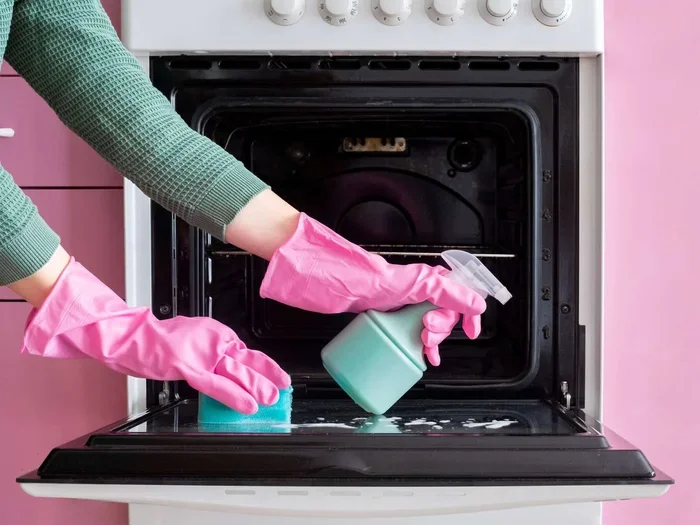
The simplest and most important maintenance task is regular cleaning. Wipe up spills and splatters as soon as the oven cools down. This prevents grease buildup and keeps the interior hygienic. For routine cleaning, a mild detergent and warm water work great. Avoid using harsh abrasive cleaners that can damage the interior coating.
Check The Door Seal
The door seal, also called the gasket, plays a big role in maintaining the oven’s efficiency. Inspect it every few months for any signs of wear or damage. A worn-out seal lets heat escape, which means your oven has to work harder and use more energy. Replacing a gasket is inexpensive and easy to do.
Calibrate The Temperature
Over time, the oven temperature sensor can drift out of alignment. This means your oven may not be heating to the exact temperature you have set. Using an independent oven thermometer and recalibrating the sensor can fix this issue. Most Frigidaire ovens allow you to adjust the temperature offset in the settings.
Deep Clean The Self-Clean Cycle
While the self-clean cycle is great for quick maintenance, a deep clean once or twice a year goes a long way. Remove the racks and wash them separately in warm soapy water. Clean the oven interior with a non-abrasive cleaner, and vacuum any crumbs or debris from the bottom of the oven cavity.
Pro Maintenance Schedule
- Weekly: Wipe up spills and clean the oven interior as needed.
- Monthly: Check the door gasket and clean the oven racks.
- Every 3 months: Test temperature accuracy with an oven thermometer.
- Every 6 months: Run the self-clean cycle and do a thorough deep clean.
- Annually: Inspect heating elements and schedule a professional check-up if needed.
Baking Tips For Perfect Results Every Time
Even with the best Frigidaire oven, baking is as much an art as it is a science. A few simple baking tips can make a huge difference in the quality of your baked goods. Here are some tried-and-true practices that every home baker should know.
- Always use room-temperature ingredients: Eggs, butter, and milk mix more evenly when they are at room temperature. This leads to better texture and rise.
- Do not overmix the batter: Overmixing develops too much gluten, which can make cakes and muffins tough and dense.
- Use the correct pan size: Using a pan that is too small or too large affects cooking time and texture. Follow the recipe closely.
- Rotate pans halfway through: Ovens often have hot spots. Rotating your pan ensures even baking and browning.
- Let the oven do its job: Avoid opening the door too frequently. Every peek can cause the temperature to drop and affect the rise of your baked goods.
With practice and patience, you will develop a feel for how your Frigidaire oven behaves. Every oven is slightly different, and learning the quirks of yours is part of the fun of cooking at home.
Final Thoughts On Working Your Frigidaire Oven
How to work a Frigidaire oven comes down to understanding the basics and practicing good habits. From mastering the control panel and preheating correctly to using the right cooking mode and keeping up with maintenance, these steps make a world of difference. Your oven is one of the most used appliances in your kitchen, and treating it well pays off in better food and fewer repairs.
Remember to always refer to your oven manual for model-specific guidance. If you run into a problem you cannot solve, do not hesitate to reach out to Frigidaire customer support or a qualified technician. With the knowledge you have gained from this guide, you are well on your way to becoming a confident and skilled home cook using your Frigidaire range.
Now go ahead, preheat that oven, and start creating delicious meals for yourself and your loved ones. Happy cooking!
Frequently Asked Questions
How do I turn on my Frigidaire oven?
To turn on your Frigidaire oven, set the desired temperature using the temperature controls and select the cooking mode you need, such as bake or broil. The oven will begin heating automatically, and most models will beep or show a ready indicator when the target temperature is reached.
What is the difference between bake and broil on a Frigidaire oven?
Bake mode uses both the top and bottom heating elements for even, surrounding heat, making it ideal for cakes and casseroles. Broil mode uses only the top element to produce intense direct heat from above, which is perfect for searing and browning the top of dishes quickly.
How long does the self-clean cycle take on a Frigidaire oven?
The self-clean cycle on most Frigidaire ovens takes between two and four hours to complete. The exact time depends on how dirty the oven is and the specific model. Always remove racks and accessories before starting the cycle for the best results.
Why is my Frigidaire oven not heating up?
If your Frigidaire oven is not heating, check the power supply first to make sure it is plugged in and the circuit breaker is on. If the power is fine, the heating element may be faulty and need replacement. You can visually inspect the element for damage or call a professional for diagnosis.
How can I improve the accuracy of my Frigidaire oven temperature?
You can improve temperature accuracy by using an independent oven thermometer to test the actual internal temperature against the display reading. If there is a significant difference, you can recalibrate the temperature sensor or have a technician adjust it for you.
Can I use aluminum foil inside my Frigidaire oven?
Yes, you can use aluminum foil on the oven racks to catch drips and spills. However, avoid lining the bottom of the oven or covering the heating elements with foil, as this can block airflow, affect cooking performance, and potentially cause damage or a fire hazard.