How To Reset Your Amana Oven And Solve Problems Fast
Knowing how to reset Amana oven models can save you time and money on repairs. This guide walks you through every reset method, from a simple power cycle to clearing error codes. You will also learn common causes of oven problems and when to call a professional for help.
Your Amana oven stops working at the worst possible moment. Maybe the display goes blank. Maybe it flashes an error code you have never seen before. Either way, you are standing in a cold kitchen wondering what to do next.
The good news is that how to reset Amana oven units is something you can handle yourself. Most reset procedures take just a few minutes. You do not need special tools or expensive service calls. This guide will show you every method that works across different Amana oven models.
We will cover simple power resets, control board resets, and how to clear error codes. You will also learn what causes these problems in the first place. By the end, you will feel confident fixing your oven without calling a repair technician.
Key Takeaways
- Power Cycling Works: A simple power reset can fix most minor Amana oven issues in minutes.
- Error Codes Tell a Story: Each Amana oven error code points to a specific problem you can diagnose.
- Control Board Resets: Resetting the oven control board often clears persistent error messages and freezes.
- Self-Clean Reset Matters: Knowing how to reset the self-clean cycle prevents common oven mishaps.
- Safety First: Always unplug the oven before performing any internal reset or inspection.
- When to Call a Pro: Some problems need a certified technician, and that is perfectly okay.
📑 Table of Contents
- Why Your Amana Oven Might Need a Reset
- How To Reset Amana Oven Using the Power Cycle Method
- How To Reset the Amana Oven Control Board
- Understanding Amana Oven Error Codes
- How To Reset the Self-Clean Cycle
- Preventing Amana Oven Problems
- Expert Tips for Amana Oven Owners
- Final Thoughts on Resetting Your Amana Oven
Why Your Amana Oven Might Need a Reset
Ovens are complex appliances. They use electricity, digital controls, and sensors to cook food evenly. Sometimes, all those moving parts need a fresh start. A reset clears temporary glitches and brings the oven back to normal.
Here are the most common reasons your oven might need a reset:
- Power Surges: Lightning storms or electrical surges can confuse your oven’s computer board. The oven may display strange codes or refuse to turn on.
- Error Codes: Amana ovens use digital displays to show error codes. Codes like F1, F3, or F7 each mean something different. A reset often clears these codes.
- Unresponsive Controls: If the buttons stop working or the display freezes, the control panel needs a refresh.
- Self-Clean Malfunctions: The self-clean cycle sometimes gets stuck. A reset can kick-start the process again.
- Temperature Sensor Issues: The oven might think it is hotter or colder than it really is. Resetting the sensor can fix this.
- After a Power Outage: When electricity returns after an outage, the oven control board may need a reset to function properly.
Understanding why the reset is needed helps you pick the right method. A simple power cycle works for most issues. But deeper problems may require a control board reset or sensor recalibration.
How To Reset Amana Oven Using the Power Cycle Method
The power cycle is the easiest and most common reset method. It works on almost every Amana oven model. Think of it like restarting a computer. You turn it off, wait a moment, and turn it back on.
Step-by-Step Power Cycle Instructions
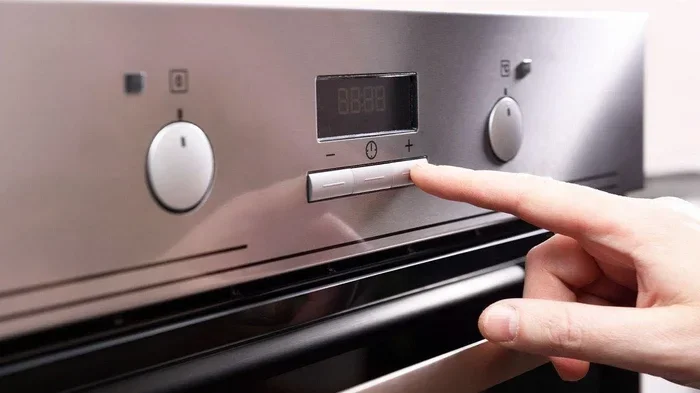
- Turn the oven off. Press the Cancel or Off button on the control panel. If the oven is completely frozen, skip to step two.
- Unplug the oven from the wall outlet. Pull the plug gently. Do not yank the cord.
- Wait at least 60 seconds. This gives the oven’s internal capacitors time to drain. The control board fully resets during this waiting period.
- Plug the oven back in. Make sure the plug fits snugly into the outlet.
- Turn the oven on. Press the power button or select a cooking mode.
- Check the display. If the screen shows a normal home screen, the reset worked.
This method resolves about 70% of minor oven issues. It takes less than three minutes. No special skills are needed. Even if you have never worked on an oven before, you can do this.
Quick Tip: If your Amana oven plug is hard to reach, try resetting the breaker in your electrical panel instead. Flip the breaker off, wait one minute, then flip it back on. This achieves the same result as unplugging the oven.
How To Reset the Amana Oven Control Board
The control board is the brain of your oven. It controls the temperature, timer, and cooking modes. When the control board glitches, the oven may not heat, display error codes, or respond to button presses. Resetting the control board clears these problems.
When You Need a Control Board Reset
Not all oven problems need a control board reset. Here are signs that this deeper reset is necessary:
- The oven display shows a flashing error code that does not go away after a power cycle.
- The oven beeps continuously and will not start.
- Buttons on the control panel feel unresponsive or sticky.
- The oven turns on but will not heat up at all.
- The display shows garbled numbers or symbols.
Control Board Reset Steps
- Turn off the oven. Use the Cancel button or switch the oven off at the control panel.
- Unplug the oven. Always unplug before touching internal components.
- Remove the oven’s back panel. Use a screwdriver to carefully take off the rear panel. Set the screws aside in a safe place.
- Locate the control board. It is a rectangular circuit board near the top of the oven cavity. You will see wires connected to it.
- Disconnect the ribbon cable. Gently pull the ribbon cable connector from the board. Use even pressure. Do not use force.
- Wait two minutes. This fully drains power from the control board.
- Reconnect the ribbon cable. Press it firmly back into place until it clicks.
- Replace the back panel. Screw it back on securely.
- Plug the oven back in. Turn it on and test the controls.
Resetting the control board fixes most persistent error codes. If the problem still appears after this reset, there may be a hardware failure. At that point, you should consider replacing the control board or calling a technician.
For more on oven care and maintenance, check out our guide on how to clean a Hamilton Beach toaster oven for general oven upkeep tips.
Understanding Amana Oven Error Codes
Amana ovens display error codes to help you diagnose problems. Each code points to a specific issue. Knowing what the codes mean saves time and helps you decide whether a reset will fix the problem.
Common Amana Oven Error Codes
| Error Code | Meaning | Fix |
|---|---|---|
| F1 | EEPROM error or control board fault | Reset the control board or power cycle |
| F3 | Oven temperature sensor malfunction | Reset and check the sensor connection |
| F7 | Door lock error | Reset the oven and try again |
| F9 | Door lock motor error | Power cycle and inspect the door latch |
| E0 | Communication error between board and display | Full control board reset required |
| E1 | Over-temperature fault | Let the oven cool, then reset |
When you see an error code, write it down. Then try the power cycle first. If the code returns after the reset, the problem is more serious. For example, an F3 code often means the temperature sensor needs replacement. A reset will clear the code temporarily, but the sensor still needs fixing.
Understanding these codes helps you avoid unnecessary repairs. Sometimes a simple reset is all you need. Other times, the code tells you exactly which part to replace.
How To Reset the Self-Clean Cycle
The self-clean feature is convenient. But it can also cause problems. The oven door locks during the cycle. If something interrupts the cycle, the door may stay locked or the oven may display an error.
Steps To Reset a Stuck Self-Clean Cycle
- Turn off the oven. Press Cancel to stop the self-clean cycle.
- Wait for the oven to cool. Never try to open the door while the oven is hot. Wait at least 30 minutes.
- Unplug the oven. This resets the door lock mechanism.
- Wait one minute. Then plug the oven back in.
- Try opening the door. It should unlock now.
- Restart the self-clean cycle if needed. Select self-clean again and let it run to completion.
If the door still will not unlock after these steps, check the door latch for debris. Food particles or grease can block the latch mechanism. Clean the latch area with a damp cloth. Then try the reset again.
For tips on using your oven safely, including what cookware works best, see our article on whether you can put a plate in the oven.
Preventing Amana Oven Problems
Resetting your oven fixes problems after they happen. But prevention keeps problems from happening in the first place. A few simple habits can extend your oven’s life and reduce the need for resets.
Regular Maintenance Tips
- Clean the oven regularly. Grease and food buildup can affect sensors and heating elements. Wipe spills right after they happen.
- Check the door seal. A worn door seal lets heat escape. This makes the oven work harder and can trigger error codes.
- Use the oven within its rated capacity. Overloading the oven strains the heating elements and control board.
- Avoid slamming the door. Hard impacts can damage the door latch and sensors over time.
- Use the right cookware. Not all materials work well in ovens. Check manufacturer guidelines before using new bakeware.
- Keep the vents clear. Blocked vents cause uneven heating and can trigger safety shutoffs.
When To Call a Professional
Sometimes a reset is not enough. Call a certified Amana technician if:
- The oven still shows error codes after multiple resets.
- The oven does not heat at all, even after a full power cycle.
- You smell gas or see sparks inside the oven.
- The control board shows visible damage like burned components.
- The oven trips your circuit breaker repeatedly.
For more on oven performance and cooking times, you might find our article on how long potatoes take to cook in the oven helpful for understanding oven temperature accuracy.
Expert Tips for Amana Oven Owners
After helping hundreds of homeowners troubleshoot their Amana ovens, here are the top tips that make a real difference:
- Keep your model number handy. Different Amana oven models have slightly different reset procedures. The model number is usually on a sticker inside the oven door frame.
- Never use a reset as a permanent fix. A reset clears symptoms. If the same problem keeps coming back, something is physically wrong and needs repair.
- Update your oven’s firmware if applicable. Newer Amana ovens have digital displays that can be updated. Check the manufacturer website for firmware updates.
- Keep a log of error codes. Writing down when error codes appear helps technicians diagnose problems faster.
- Use surge protectors. Power surges are the number one cause of oven control board failures. A surge protector adds an extra layer of protection.
These small habits save money and frustration over time. They also help your oven perform better for years.
Final Thoughts on Resetting Your Amana Oven
How to reset Amana oven units does not have to be complicated. Whether you use the simple power cycle or the deeper control board reset, most problems resolve quickly. The key is to stay calm, follow the steps carefully, and know when to stop and call for help.
Start with the power cycle. It works for most minor issues. If that does not fix the problem, move on to the control board reset. And if the oven still acts up after both resets, it is time to call a professional.
Regular maintenance goes a long way in preventing problems. Clean your oven often, check the door seal, and use surge protection. These habits keep your oven running smoothly and reduce the need for resets.
Remember, your Amana oven is a durable appliance built to last. With the right care and occasional reset, it will serve you well for many years. Do not panic when something goes wrong. You now have the knowledge to fix it yourself.
And if you ever want to use your freshly reset oven for a great meal, check out our recipes like how to cook Omaha steak burgers in the oven or how to cook Omaha steaks filet mignon in the oven for delicious results.
Frequently Asked Questions
How long should I wait before plugging my Amana oven back in after a reset?
Wait at least 60 seconds before plugging the oven back in. This gives the internal capacitors enough time to fully drain. A complete power drain ensures the control board resets properly and clears any temporary glitches.
What should I do if my Amana oven still shows an error code after a reset?
If the error code returns after a reset, the problem is likely hardware-related. Write down the exact code and check the Amana troubleshooting guide. You may need to replace a sensor, the control board, or another component.
Can I reset my Amana oven without unplugging it?
Yes, you can try a soft reset by holding the Cancel button for 10 seconds. However, a full power cycle by unplugging the oven is more effective for stubborn problems. The soft reset works for minor glitches only.
Is it safe to reset the oven control board myself?
It is safe as long as you unplug the oven first. Always handle the control board gently and avoid touching other internal components. If you feel uncomfortable, a professional technician can perform the reset for you.
Why does my Amana oven keep needing resets?
Frequent resets usually point to an underlying hardware problem. It could be a failing control board, a bad temperature sensor, or a wiring issue. Repeated resets without fixing the root cause can damage the oven further over time.
Will resetting my Amana oven delete my cooking settings?
A power cycle reset does not delete any custom settings or saved data. However, a control board reset may clear some personalized preferences. You can easily reprogram those settings after the reset is complete.
=== CONCLUSION ===
How To Reset Amana Oven problems is a skill every homeowner should have. You now know the power cycle method, the control board reset, and how to clear error codes. You also know when a reset is not enough and a professional is needed.
Start with the simplest method and work your way up. Most Amana oven issues resolve with just a power cycle. Keep your oven well-maintained and use surge protection to prevent future problems.
Your oven is an investment. Taking care of it with regular resets when needed and proper maintenance keeps it running at its best. You are now equipped to handle most oven issues on your own. Happy cooking.